Upload many receipts at once
Bulk upload up to 50 receipts at once. RevoSpend scans the whole batch while you work, then you review the receipts one after another.
Back from a trip with a stack of receipts? Upload multiple receipts at once on the Receipts page. RevoSpend scans the whole batch while you carry on, and you review them one after another.
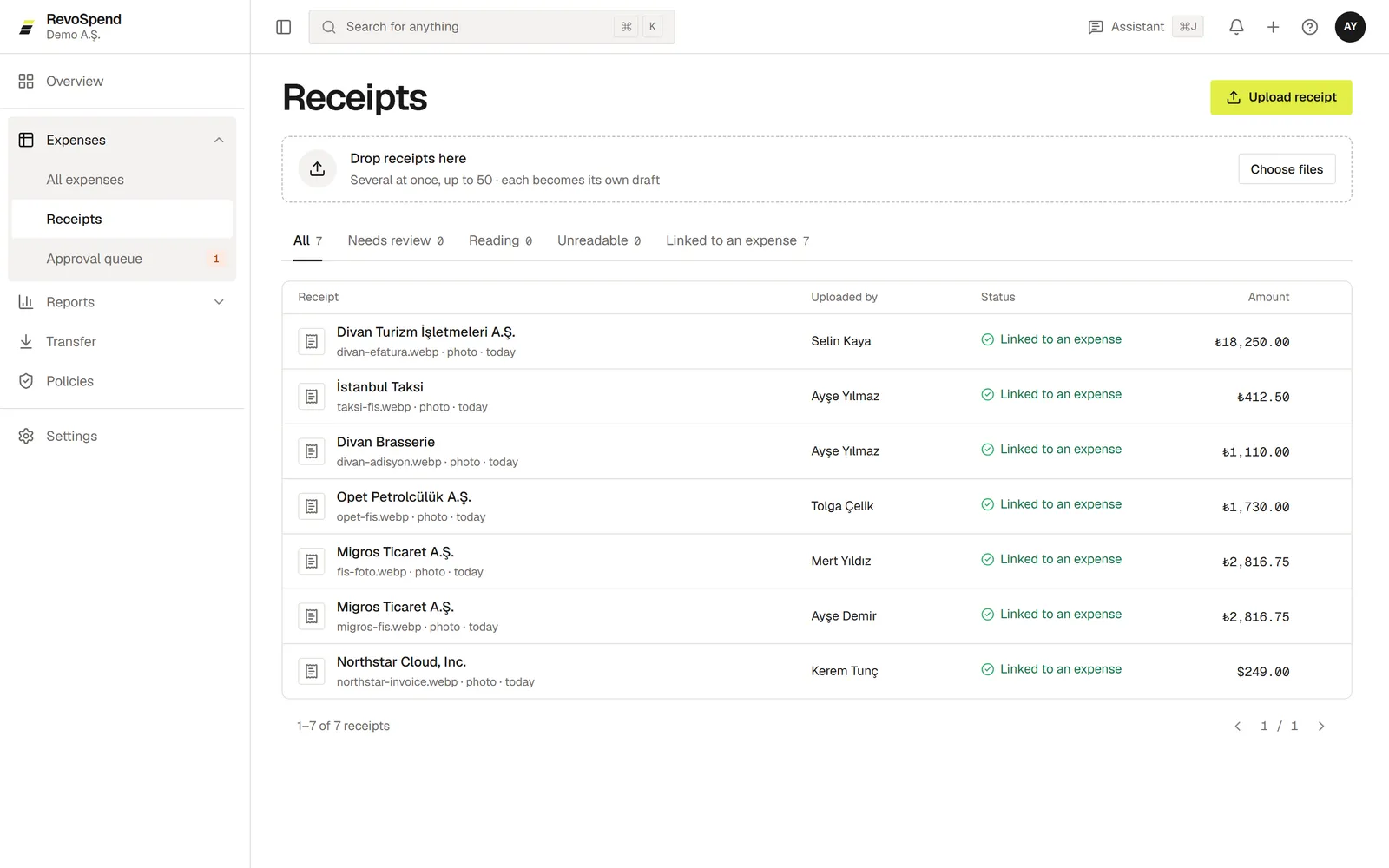
Open Receipts
Go to Expenses → Receipts.
Drop your receipts
Drag up to 50 files onto Drop receipts here, or choose them from your computer.
Review them in order
When receipts show Needs review, click Review one by one. Check each receipt and save it as an expense. Use J and K to move to the next or previous receipt.
Receipt tabs
| Tab | What’s in it |
|---|---|
| Needs review | Read and ready for you to check |
| Reading | Still being read |
| Unreadable | Couldn’t be read — replace them or fill in the fields yourself |
| Linked to an expense | Already turned into an expense |
| Hidden | Receipts you hid from the list |
Tidy up the list
Uploaded something by mistake? Open the row’s menu and choose Hide from list. You can bring it back from the Hidden tab with Restore. Receipts you upload are visible only to you until they’re added to an expense.