Understand your spend with reports
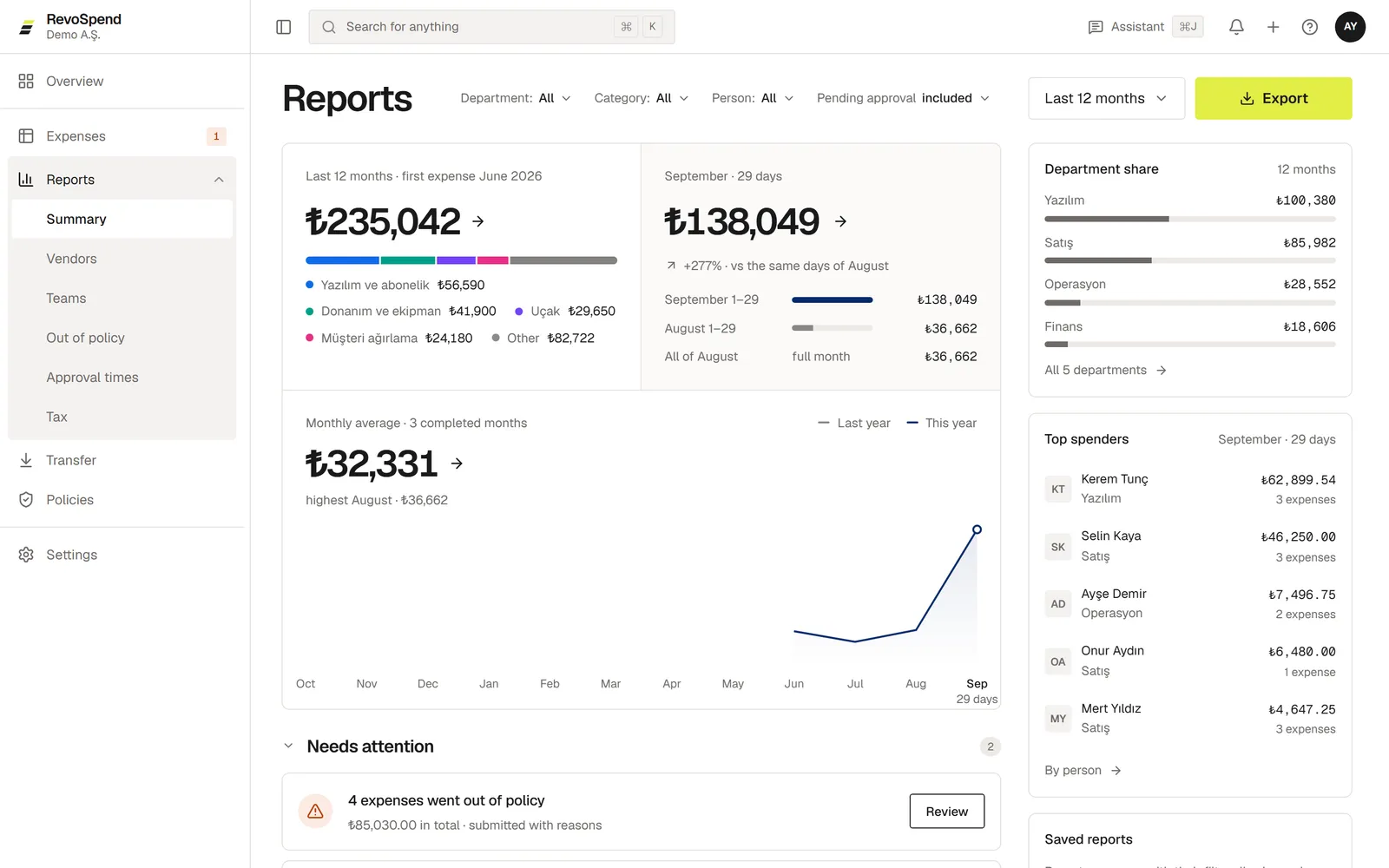
Spend analytics without spreadsheets: six reports for expense reporting — summary, vendors, teams, out of policy, approval times and a tax report.
Reports turn every approved receipt into answers — spend analytics without spreadsheets. Pick a report, choose the period and filters, and break the numbers down the way you need for your expense reporting.
Before you start
Owners, admins and people with the Finance or Accounting duty see reports for the whole company. A custom duty can give someone reports for their own department.
The reports
| Report | What it answers |
|---|---|
| Summary | How much you spent, how it compares with last year, and where it went — by category, department, person or project. Also the top spenders and what needs attention. |
| Vendors | Who you pay: new vendors, how spend is concentrated, recurring payments and vendors without a tax number. |
| Teams | Spend per person and per team, by department, project or manager. |
| Out of policy | Expenses that exceeded a spending policy, by how much, and who and what was involved. |
| Approval times | How long approvals take, what’s waiting today and where expenses get stuck — by approver, step or department. |
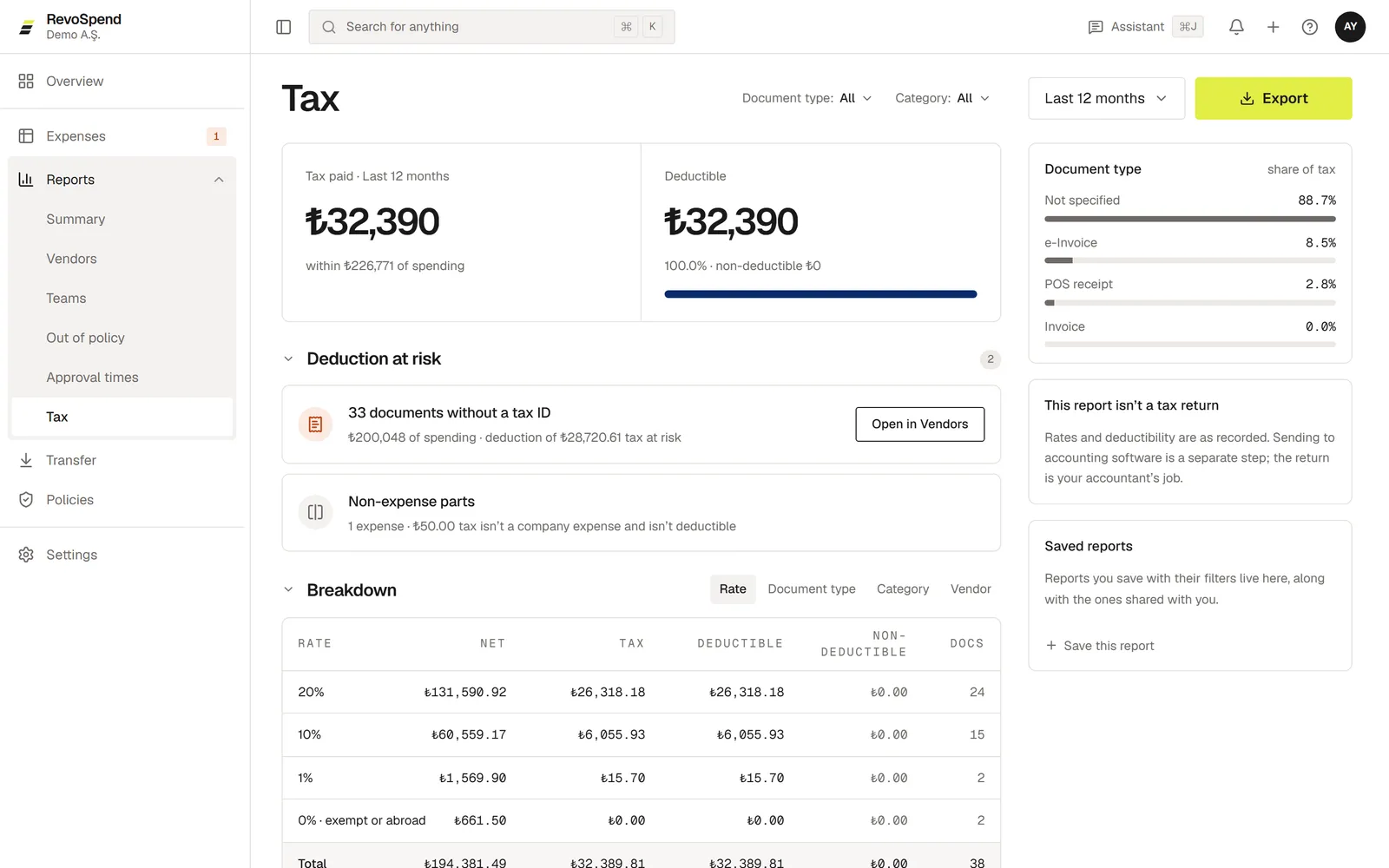
| Tax | Tax paid, how much is deductible and which deductions are at risk — for example receipts without a tax number. |
Open Reports
Click Reports in the sidebar and choose a report.
Choose the period
Pick a preset such as Last 12 months, This year or Last month, or set a Custom range.
Filter and break down
Filter by department, category, person, project, vendor and more, then choose a Breakdown to group the numbers.
Which expenses count
By default, reports include every submitted expense that hasn’t been rejected — so you see spend as it happens. Switch Pending approval to excluded to count approved expenses only. Parts of an expense marked as personal never count.
Category colours stay the same across every report and period, so a category is always easy to spot.
The Tax report
The Tax report breaks tax down by rate, document type, category and vendor, and highlights Deduction at risk — tax on receipts without a tax number, or on personal parts of an expense. It’s a working view for your accountant, not a tax return.
Troubleshooting
“You can’t view reports”. Ask an admin to give you the Finance or Accounting duty, or a custom duty with report access.
The numbers differ from the approval queue. Check the Pending approval switch: with it included, expenses still in approval are counted.