Track an expense and make corrections
What each expense status and reimbursement status means, how to make a correction and resubmit an expense, and when you’ll be paid back.
Every expense shows its status twice: where it is in approval, and — if you paid for it yourself — where it is in reimbursement. You’ll find both on the expense in Expenses → All expenses.
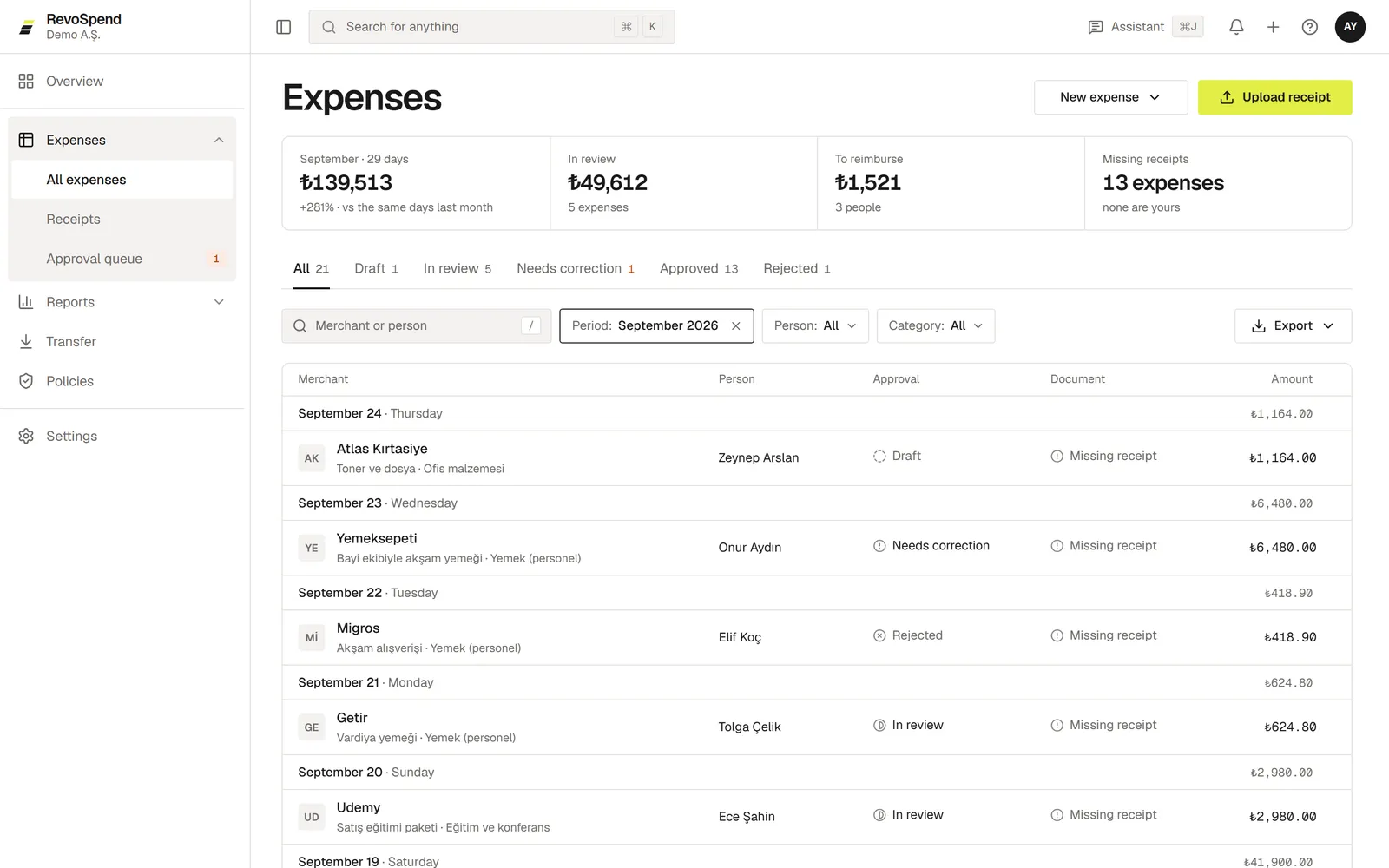
Approval status
| Status | What it means |
|---|---|
| Draft | Saved but not submitted. Only you see it. |
| In review | On its way through your company’s approval route. |
| Needs correction | An approver sent it back with a note. It’s your turn. |
| Approved | All approvals are done. |
| Rejected | Declined, with a reason. A rejected expense is closed. |
| No approval needed | Your company’s approval route didn’t require approval for it. |
Reimbursement status
When you paid with your own money (Paid by: Employee), the expense also shows its reimbursement:
| Status | What it means |
|---|---|
| After approval | Reimbursement starts once the expense is approved. |
| Pending | Approved and waiting to be paid to you. |
| Paid | Your finance team marked it as paid. |
| Not needed | The company paid, so there’s nothing to reimburse. |
Fix an expense that was sent back
Read the note
Open the expense marked Needs correction and read what your approver asked for.
Make the change
Click Edit, correct the details and fill in Reason for the change.
Resubmit
Click Resubmit. The expense goes back through approval.
Change a draft
Drafts can be edited any time. Once an expense is In review or Approved, it’s locked so that everyone approves the same version.
Every change is saved as a new version with its reason. The earlier version is never overwritten, so your company always knows who changed what and why.
Who can see your expenses
You always see your own expenses. The people who approve an expense see it while it’s with them. Owners, admins, and people with the Finance or Accounting duty see the whole company’s expenses.