Your profile, password and sessions
Change your name, language, email or password, turn the daily reminder on or off, and sign out of other devices.
Your own settings live under Settings → Profile and Settings → Sessions. They apply to you only.
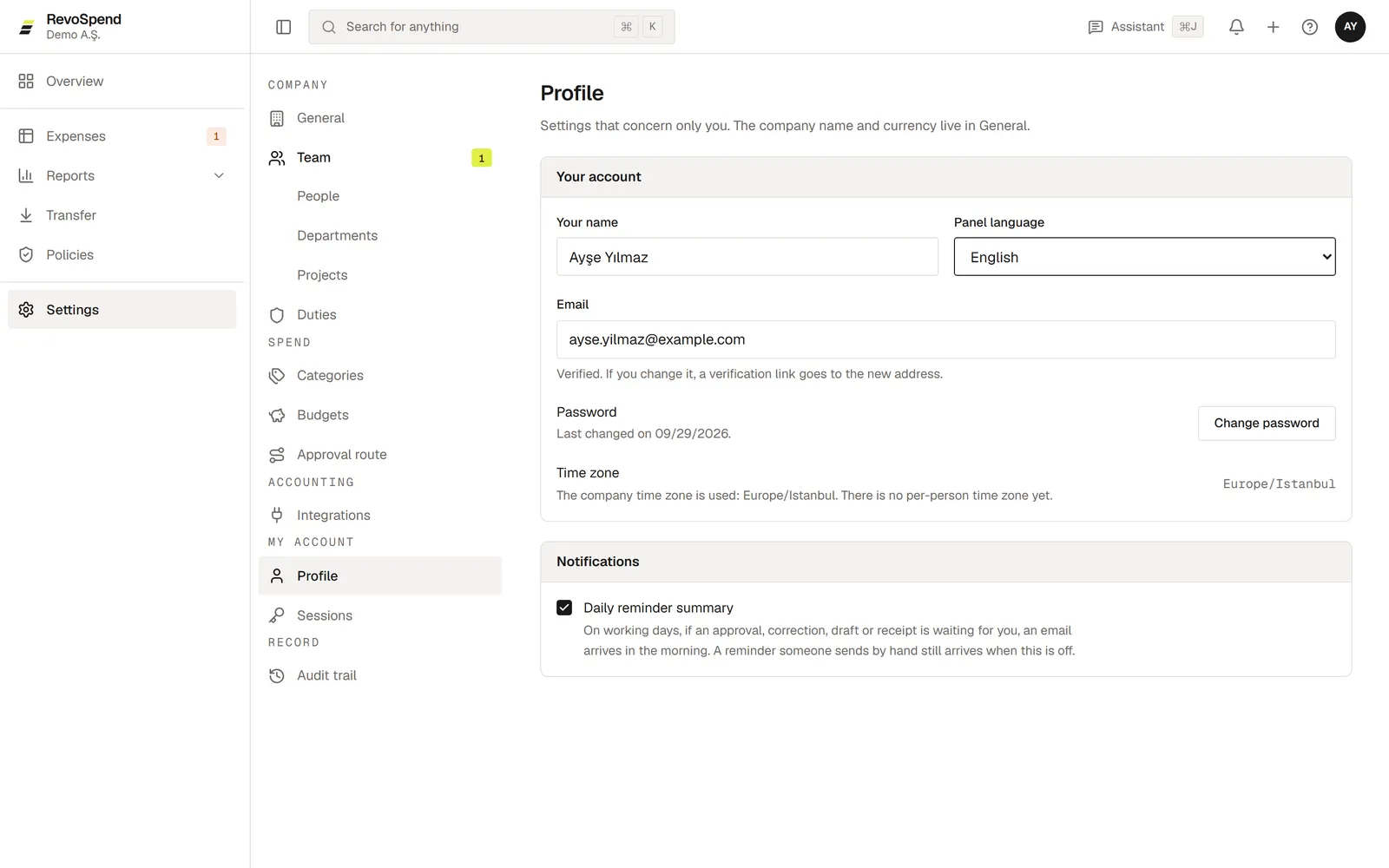
Profile
| Setting | What it does |
|---|---|
| Your name | How you appear on expenses, approvals and emails |
| Panel language | English or Turkish — for RevoSpend and your emails |
| Changing it sends a confirmation link to the new address | |
| Daily reminder summary | One email a day with what’s waiting for you |
Change your password
Open Profile
Go to Settings → Profile and click Change password.
Enter the old and new password
Type your current password and a new one of at least 12 characters.
Save
Leave Sign out other sessions on to sign out everywhere else at the same time.
Forgot your password?
On the sign-in page, click Forgot your password? and enter your email. You’ll get a link to choose a new password, valid for 24 hours.
Sessions
Settings → Sessions lists every device you’re signed in on. Click Sign out on a device you don’t recognise, or Sign out the others to keep only the one you’re using. A signed-out device is closed within about a minute.
Signing out on your phone also signs you out of the web app on that browser, and the other way round.